

The Gap Between 'Automated' and 'Zero-Touch'
Many organisations have some AP automation. They've automated the scanning, or the approval routing, or the ERP posting. But they haven't automated the joins between these steps, and that's where the manual work accumulates. A supplier emails an invoice. Someone downloads the attachment. Someone uploads it to the processing system. Someone reviews the extracted data. Someone routes it for approval. Someone posts it to the ERP. Each step might take 90 seconds, but multiply that by 500 invoices a month, you've consumed a full working week before doing anything that requires human judgement.
Zero-touch means eliminating every one of those manual joins. Here is what that looks like in OneVue Invoice, step by step.
Step 1: Ingestion - However the Supplier Wants to Send It
OneVue Invoice eliminates the collection step by connecting directly to the channels your suppliers already use. Supported ingestion channels include:
- ✓Outlook 365 and Gmail: attachments are extracted automatically on arrival
- ✓SharePoint Online and OneDrive for Business: for suppliers who upload directly to a shared folder
- ✓System folder monitoring: for on-premise or custom file drop workflows
- ✓Manual upload: for ad-hoc invoices that don't fit standard channels
Supported file types include PDF, JPEG, PNG, TIFF, CSV, XML, and Excel, covering everything from digital invoices to scanned paper originals. The Document Control Center gives AP managers a live view of everything in ingestion: documents processed, channel source, top senders, and the step-by-step lifecycle of every document from arrival to processing.
Step 2: Extraction - AI Reads the Invoice So Your Team Doesn't Have To
Once ingested, OneVue Invoice's AI extraction engine goes to work. Using prompt-based extraction powered by OpenAI's language models, it pulls header data, line items, GL codes, and any configured fields with no fixed dependency on document layout. For multi-page PDFs that bundle multiple invoices, the system auto-splits on document boundaries, creating individual processing records automatically. Extraction quality is tracked in InsightsHub. For well-tuned vendors, straight-through rates routinely exceed 90%.
Step 3: Workstream - Structured Human Review Where It Actually Matters
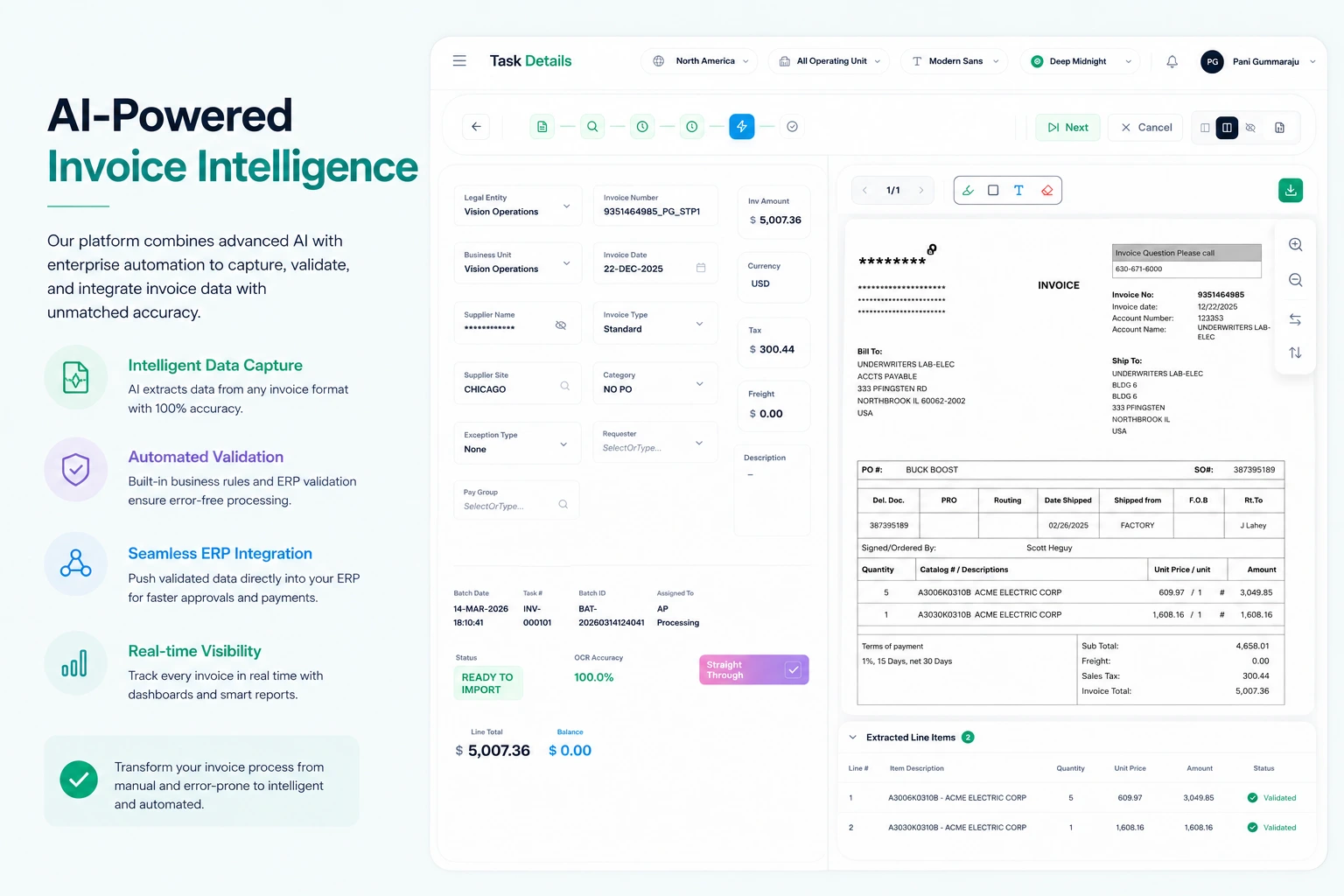
Not every invoice will be straight-through, and that's by design. The Workstream task list shows every invoice pending action, with advanced filters to focus by vendor, invoice number, amount, or status. Key capabilities include:
Workstream Features
- ✓Full task detail view: processing stage, document preview, extraction data, comment history, and GL code assignment, all in one screen
- ✓In-place invoice viewer with annotation and redaction capability for collaboration and compliance
- ✓Manual upload and split: for ad-hoc invoices or batched PDFs that need to be separated mid-workflow
- ✓Prompt refinement from within the task: if extraction quality on a specific invoice is low, the AP user can adjust the extraction prompt directly and re-run
Step 4: Validation and Rules - Automated Checks Before the ERP Sees a Byte
Before any data reaches the ERP, OneVue Invoice runs it through a configurable rules engine. Validation rules are defined in plain English by AP managers, with no code required:
- ✓Match invoice amounts against purchase orders
- ✓Flag duplicate invoice numbers from the same vendor
- ✓Validate GL codes against expected coding for the vendor and line type
- ✓Route invoices above a certain value to a senior approver
- ✓Identify invoices eligible for early payment discounts and flag for priority processing
Rules can be tested live in a test bench before deployment. Changes take effect at runtime with no downtime, no change window, and no IT involvement.
Step 5: Egress - Verified Data in Your ERP, Automatically
OneVue Invoice supports Oracle E-Business Suite, PeopleSoft, and Fusion Apps out of the box. Setup is a one-time configuration: connect the service, map the fields, and verified invoices start flowing into your system of record. Data can be posted in real time or in scheduled batches. Validation runs again at egress, with auto-resolution for common issues, ensuring nothing lands in the ERP with bad data. For organisations running Oracle WebCenter, document storage to those repositories is also supported as part of the egress workflow.
What Zero-Touch Actually Costs
Usage-based pricing means the cost of processing scales with volume, not with the number of users or integrations. Any member of the AP team, operations function, or finance leadership can access the system. There's no per-seat arithmetic to do at budget time. Because the infrastructure is containerised and cloud-native, peak periods don't require capacity planning; the system scales automatically and scales back down when peak demand passes.