

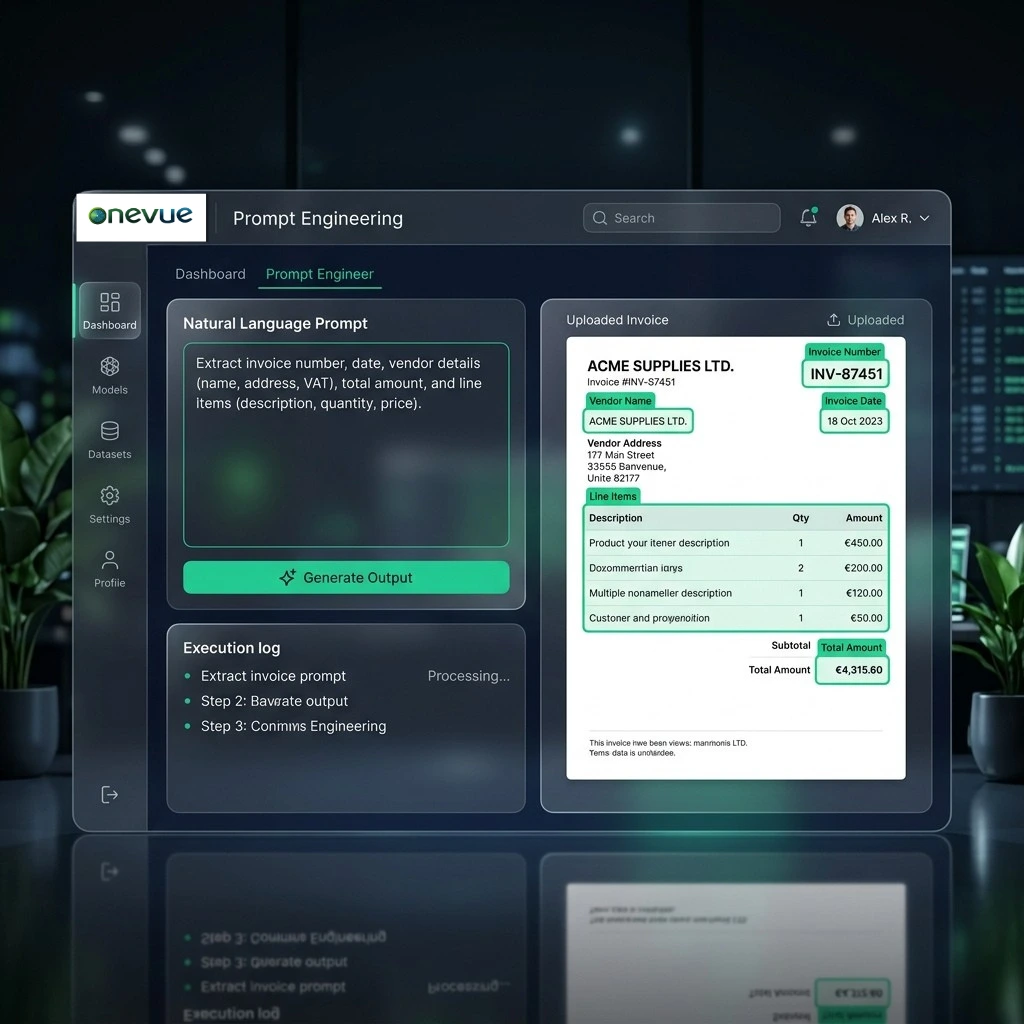
The Configuration Problem Nobody Warned You About
You've invested in OCR technology. You've onboarded your vendors. For the first few months, extraction rates look reasonable. Then a supplier updates their template, a new vendor joins with a non-standard layout, and suddenly you're back in a queue waiting for IT to retrain the model.
Every change requires a technical expert. Every update risks breaking something else. Large language models change this dynamic completely by introducing prompt-based extraction.
What Prompt-Based Extraction Actually Means
In a traditional OCR system, you train the model by showing it where fields live on the page. With a prompt-based AI system, you describe what you want in plain English, the same way you'd brief a smart new team member.
The AI reads the document, understands the intent, and extracts accordingly, regardless of layout. If a vendor switches formats next month, the same prompt still works.
The Per-Vendor Fine-Tuning Loop
OneVue Invoice lets users create and save prompts per vendor. The first time you process a new supplier's invoice, you refine a prompt in natural language and re-run. That refined prompt is saved and applied automatically to every future invoice from that vendor.
Who Can Do This? Your AP Team, Not Your IT Team
Prompt-based extraction is built for non-technical users. There's no code editor, no XML configuration, no model retraining workflow, just a text box. This means:
- ✓A new vendor can be onboarded without raising an IT ticket
- ✓An AP manager can adjust extraction logic at 3pm on a Thursday without scheduling a change window
- ✓Ad-hoc prompt changes can be tested live on a sample invoice before being saved
- ✓Anyone with functional knowledge of AP can configure the system
Measuring the Impact with InsightsHub
OneVue Invoice includes InsightsHub, a dashboard that makes extraction quality visible and actionable. It shows the AI extraction contribution at each process stage and how straight-through rates trend over time as prompts are refined.
For a CFO, it's evidence that the investment in automation is compounding: the system gets better the more it is used.